After several months of beta testing on TestFlight, I am happy to share that Dive Exporter is now available on the App Store. It’s an iOS and macOS app I built to solve a frustration of my own, and along the way it turned into something I think other divers will find useful too.
The pitch is simple: connect to your Bluetooth dive computer, download your dives, view the profile, export them as UDDF. That’s it. One app, no vendor account, no cloud, no lock-in. Currently tested with Shearwater, Halcyon, Mares, Seac and many other BLE-equipped computers built on top of libdivecomputer.

What it is, and what it isn’t
Let me get this out of the way upfront: Dive Exporter is not a dive logbook. It doesn’t store buddies, dive sites, ratings or photos. It does not try to replace Subsurface, MacDive, or whatever logging tool you already use. Its job is narrower and more reliable: get the dives off your computer and into a portable, standard format you can take anywhere.
A proper logbook may come at some point, but I want to have something more concrete to show before I talk about it. For now, the focus is the bridge.
The key purpose is to extract data from your dive computer, in one place, without being tied to a specific vendor. Across all the brands and models I dive with, that turned out to be surprisingly hard to do.
One thing you’ll notice right away is that the interface is essential and very data-centric. This was intentional. A bare, data-first UI is admittedly less appealing than a nicely curated one, but for the first version I wanted to focus all my energy on extracting data from the engine, correctly and completely, rather than on how it looks. Now that the foundation is solid, my plan is to refine that surface: add weights, balance and order to the data, and present it in an agreeable UI that doesn’t look like a spreadsheet on a mobile.
A quick tour
You start by pairing your dive computers over Bluetooth. You can keep as many as you want, give them friendly names, and download from any of them. I currently have my Halcyon Symbios Handset, a Shearwater Petrel, and a Shearwater Perdix paired together. That’s a normal day for me.
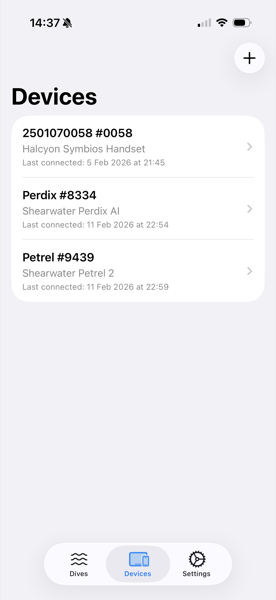
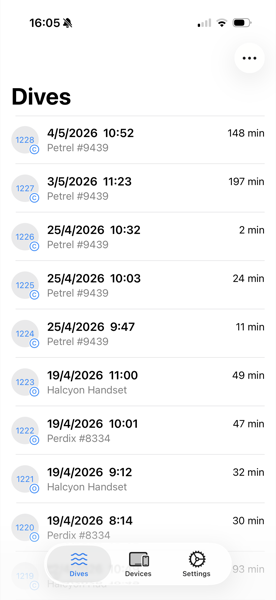
From the dive list, you can browse everything that has been downloaded across all devices, sort and filter, and select individual or multiple dives for export. The Smart Download mode only pulls new dives, so syncing after a trip is fast.
The chart: the feature I’m most proud of
If there is one part of the app I’m genuinely proud of, it’s the dive profile chart. This is where all the work on the parsing layer pays off, because the chart is only as good as the data behind it.
At the basic level, you get what you would expect from any dive log: depth and temperature plotted against time, with a clean readable layout that works in both portrait and landscape. Toggle overlays on and off depending on what you want to focus on.
Where it gets interesting is the advanced data:
- Rebreather sensor PPO2. When the computer reports the cell readings (typically on CCR-capable computers like the Halcyon Symbios Handset and the Shearwater Petrel/Perdix in CCR mode), you can overlay the individual O2 sensor traces against the dive profile. This is the kind of data that, on a rebreather dive, you actually want to inspect after the fact.
- Tank pressures, with multi-tank support. For computers that record gas integration, the chart can plot pressure curves for each connected tank. If you ran multiple cylinders (stages, bailout, deco bottle), you’ll see one trace per tank. Essential for technical dives.
- NDL, CNS, decompression ceiling. Useful for understanding how the algorithm saw the dive while you were in the water.
Rotate the device for a full landscape view with a moving readout that follows your finger: depth, temperature, and the active overlay value at the exact point you’re inspecting.
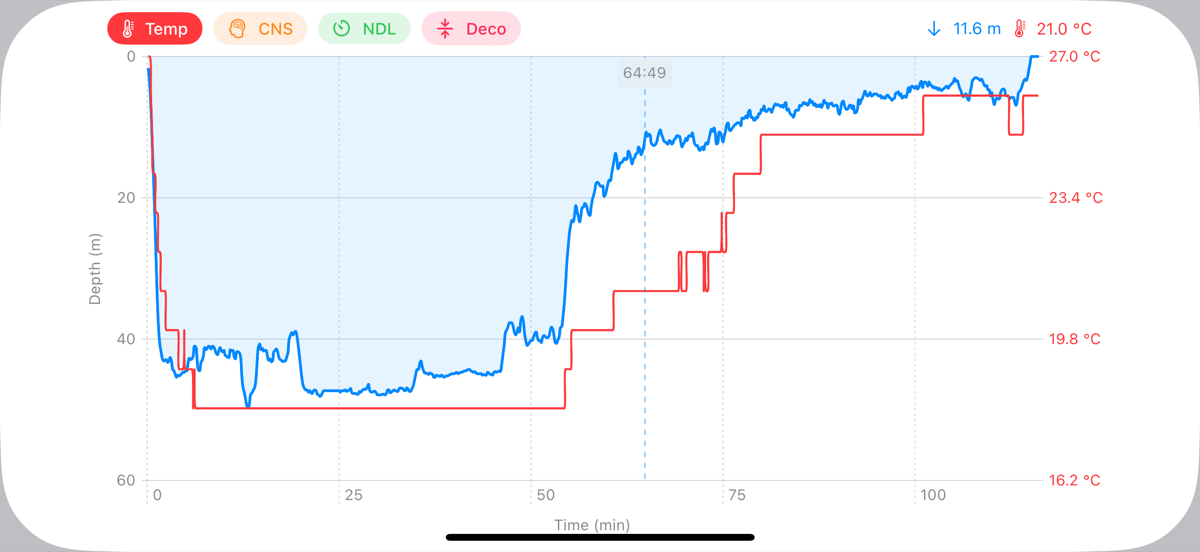
This is the screen I built first and the one I keep iterating on the most. It’s also the screen that pushed me to contribute upstream to libdivecomputer, because a chart is only as truthful as the data flowing in.
Why this app was born
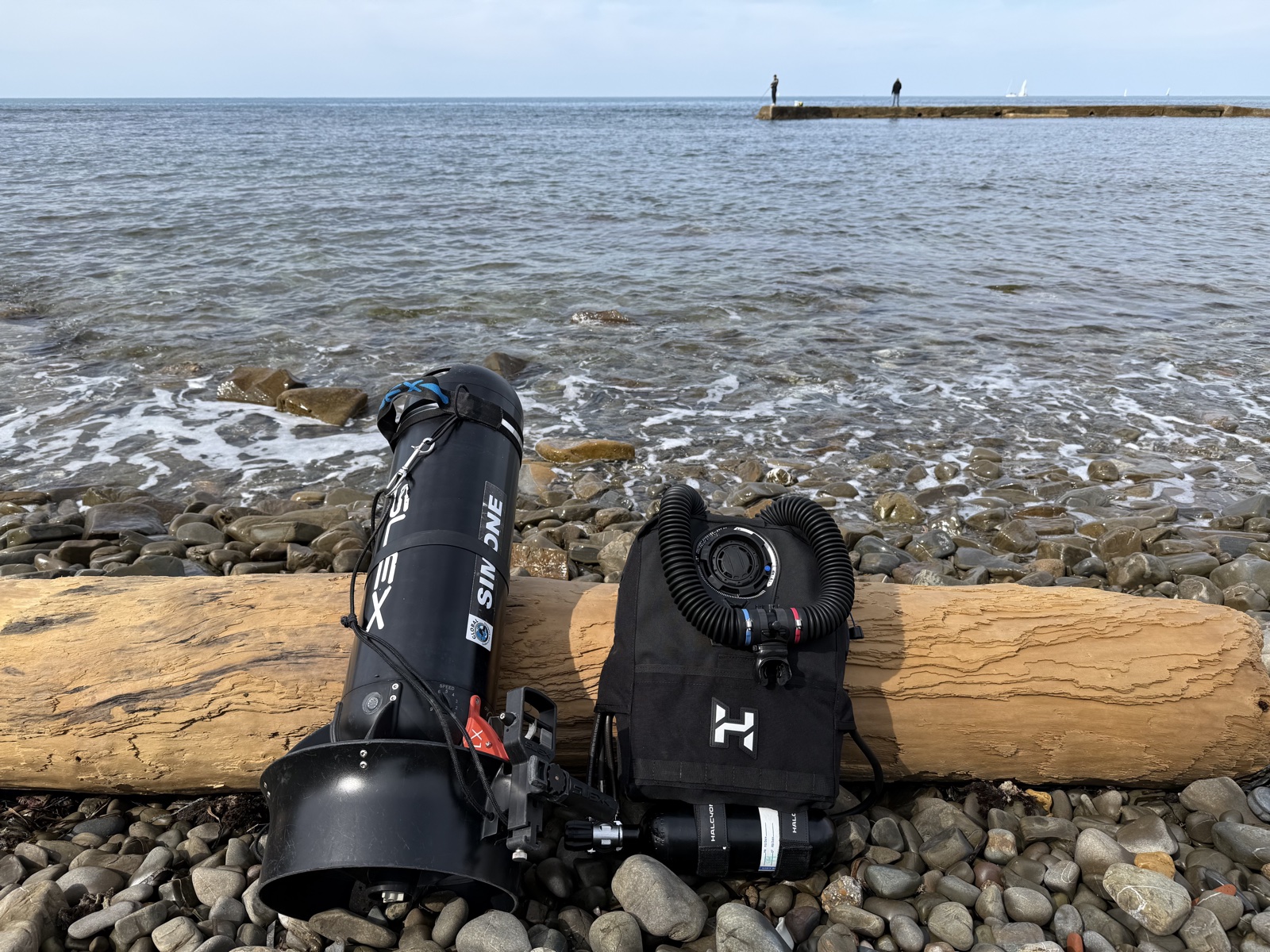
This is the part where it gets personal. Last year I purchased a Halcyon Symbios computer, and more recently I became certified to dive the Halcyon Symbios chest-mount rebreather. I now dive my own Symbios CCR, paired with a SUEX scooter, on most of my technical dives.
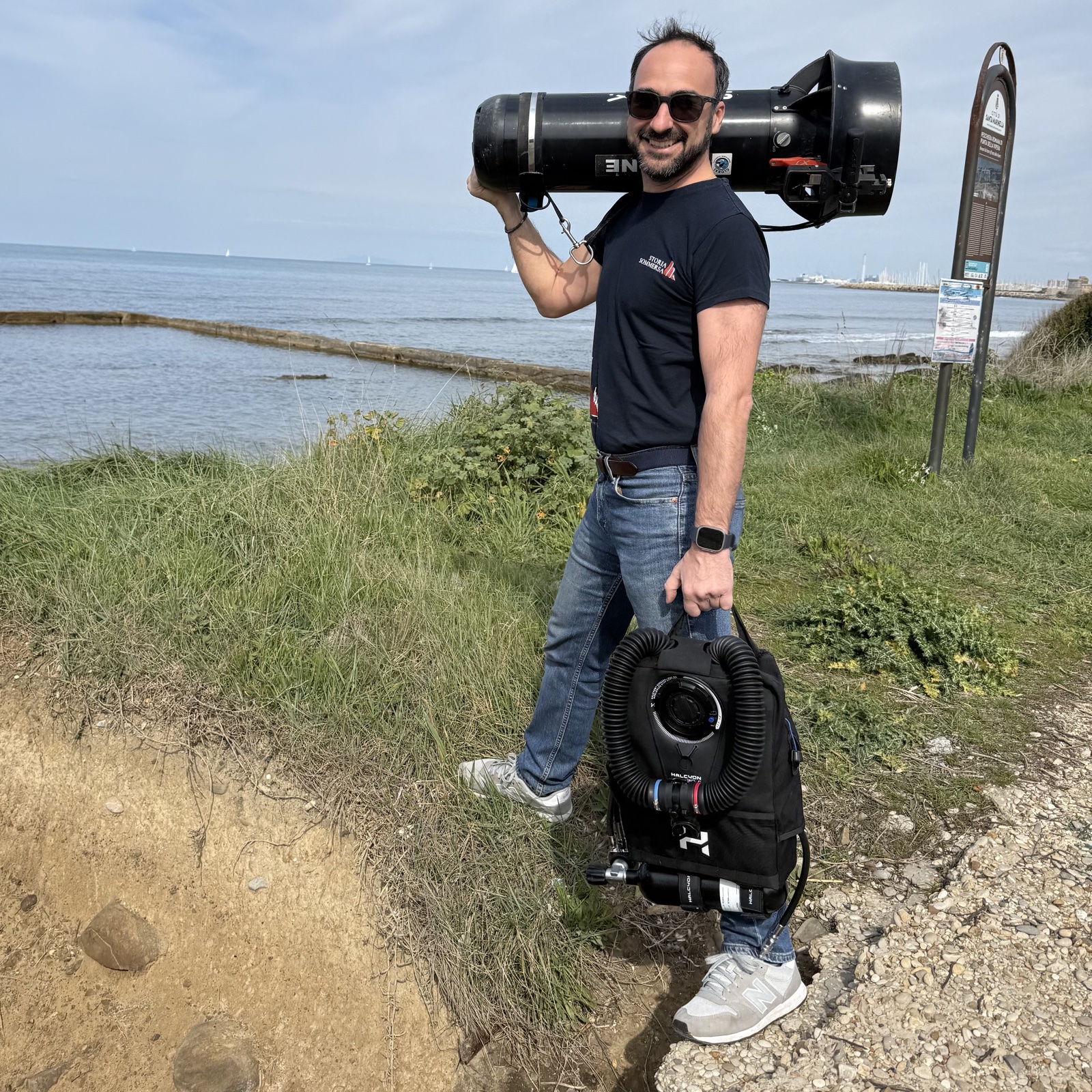
The Halcyon Symbios is a fantastic piece of kit, and the dive computer that comes with it does everything I need underwater. The problem is everything that happens after the dive.
First wall: MacDive
My dive log of choice has been MacDive for years. It’s a brilliant piece of software, and it has held my entire diving history. MacDive connects directly to dive computers via the excellent libdivecomputer C library, which is the de-facto standard for talking to dive hardware in the open source world.
There’s a catch though: MacDive has effectively been abandoned. The project hasn’t received an update in roughly three years, some features have stopped working, and every iOS/macOS release I sit there terrified that this will be the one that breaks it. The official forum and threads like “MacDive seems dead in the water, any alternatives?” on ScubaBoard are full of the same mix of sadness and disappointment. It’s so unfortunate, because the product itself is fantastic.
For Halcyon support specifically, this matters in a very concrete way. The Halcyon parser was only added to libdivecomputer in recent versions, and the copy bundled inside MacDive predates that work. So even though MacDive technically supports dive computer downloads, it cannot talk to my Halcyon, and there is no realistic expectation that this will ever change.
Second wall: the vendor app
The natural fallback was to use the Halcyon Symbios app to download the dives and then export them in some standard format (typically UDDF, the open XML format that most logbooks understand), and feed them into MacDive that way.
It turns out the Symbios app lets you download your dives but does not let you export them. Once they are in the app, that is where they live. To see them, I am confined to whatever views the Halcyon app gives me, which is honestly limited for a data nerd like me. There is no UDDF export, no CSV, no nothing. Just a closed garden.
This was the part that really got me. Every other vendor app and logbook I had used in the past at least let me export to UDDF. Here I had a brand new computer, recording dives I cared deeply about, and the data was effectively trapped.
The signal
Two walls in a row. I took it as a signal.
I am a software engineer; I have written software in more than 15 different languages over the years. But I had never built an iOS app. In the last ten years I tried everything: I bought an Objective-C book and worked through it, I installed and played with RubyCocoa, I watched multiple Swift courses online. Every time, something would knock me off course and I would drop the ball.
Not this time. The desire to not lose visibility on 15 years of dives was strong enough to push me through. I wanted to build, at the very least, a connector that could download and preserve the dives from the computers I actually own, on the platforms I actually use.
Building the connector
I started from the bottom of the stack. libdivecomputer gives you parsing and a streaming abstraction, but the BLE transport layer has to live in Apple-land. So I spent the first couple of weeks during the Christmas holidays producing a working libdivecomputer Swift binding, and then close to six months iterating on it across the most common vendor implementations: Mares, Shearwater, Halcyon, Seac, and others. Each family of devices has its own quirks: different BLE service and characteristic layouts, different framing, different handshakes. It’s much more involved than “open a socket and read bytes”.
Along the way I had the chance to contribute back to libdivecomputer, improving the Halcyon parser and adding support for a new device. That has been one of the most rewarding parts of the whole project. libdivecomputer is a critical ingredient in everything I built, and I can’t thank Jef and the maintainers enough for the dedication they put into it.
The app also pushed me to build a proper UDDF reader and writer in Swift, which I released as open source: uddf-swift. I couldn’t find one, so I wrote my own, and figured someone else might find it useful too.
On top of the Swift binding I built the app: a SwiftUI iOS and macOS app, with Swift Data for persistence. It lets you pair, name, and manage multiple dive computers, do full or incremental Smart Downloads, browse and filter your local dive log with profile charts and metadata, and export to UDDF either one dive at a time or in bulk. Everything stays on the device. There is no account, no cloud sync, no telemetry.
What’s next
The thing I’m most happy about is that I now have a solid BLE bridge for dive computers, on iOS and macOS. The library is currently closed source, but it has been implemented in a way that makes it easy to distribute as a package, or embed in other projects, in the future. Right now it powers Dive Exporter, which I plan to keep free and accessible. The app is useful on its own, and it’s also a great test bench for what comes next.
I am now collecting feedback in public, on top of what testers have already sent over the last few months, and I will keep iterating. I will likely give more attention to the user interface, which I’ve intentionally kept simple while I prioritised getting the broadest possible device compatibility working first.
I also want to find a better home for my dives. MacDive still holds a special place for me, but I think it’s time to let it go and move on. A few alternatives have appeared online recently. I haven’t yet found the one that gives me the same spark I felt the first time I opened MacDive. Maybe there’s still a gap to fill there…
Until then, happy bubbles, or as we say in Italian, buone bolle.
Try it
Dive Exporter is available on the App Store today. If your dive computer is on the supported devices list, give it a try.
I genuinely want broad coverage, so if you hit any issue, your computer doesn’t connect, or a dive doesn’t parse correctly, please reach out. Reviews and feedback are very welcome, and they are what will shape where this goes next.