I’ve been using Obsidian for a couple of years now, and it has become my go-to companion for notes, data tracking, and knowledge management. Before landing on Obsidian, I went through quite the journey of note-taking tools: Evernote, then Notion, then Bear. Each had its strengths, but none felt quite right.
What won me over with Obsidian was the philosophy: all your files, directly accessible, in pure Markdown, without some obscure or proprietary wrapping. Your notes are just files on disk. You own them. You can open them with any text editor, version them with Git, or move them anywhere. No lock-in, no database, no cloud dependency.
That journey eventually led me to build Mermaid View, an Obsidian plugin that brings first-class Mermaid diagram support to Obsidian. Here’s the story behind it.
More than just Markdown
On top of the Markdown-centric, file-first approach, Obsidian has a very slick interface and surprisingly advanced capabilities. It supports Mermaid diagrams natively, has excellent table editing, and callouts that make structured notes feel polished.
More recently, Bases have been a game changer. They let you query and organize notes like a lightweight database, and I’ve moved even more data into Markdown files because of it.
Where Obsidian had limits, I often found a plugin to fill the gap. Ironically, I’ve never used more than five plugins, a sign that Obsidian already does a lot out of the box. A notable example is Map View, which I use often to geolocalize data points on a map.
The Mermaid gap
This is where I found a weak spot. Mermaid is a text-based diagramming language that lets you define charts, flowcharts, sequence diagrams, and more using a simple, readable syntax. No drawing tools, no drag-and-drop; just text that renders into diagrams.
I use Mermaid often to organize my ideas and processes. Sequence diagrams are my most frequent use, but I also reach for flowcharts and other diagram types depending on the task.
Obsidian supports Mermaid natively inside Markdown code blocks, but the capabilities are limited. Mermaid code has to be embedded inline within a note. You can’t store Mermaid diagrams as separate files, and you can’t embed or include them using the standard syntax that works for Canvas, Base, or other Obsidian view types.
For simple, small diagrams that’s fine. But some of my charts are fairly complex, too complex to embed in Markdown. I prefer to version them separately, reference them from multiple notes, and work with them in an environment designed for diagramming rather than prose.
Enter Mermaid View
I decided to give the Obsidian Plugin API a shot and build the tool I wanted. I have to say: the developer extensibility is as good as the experience you have as a user. The API is well-documented, the plugin architecture is clean, and the development loop is fast.
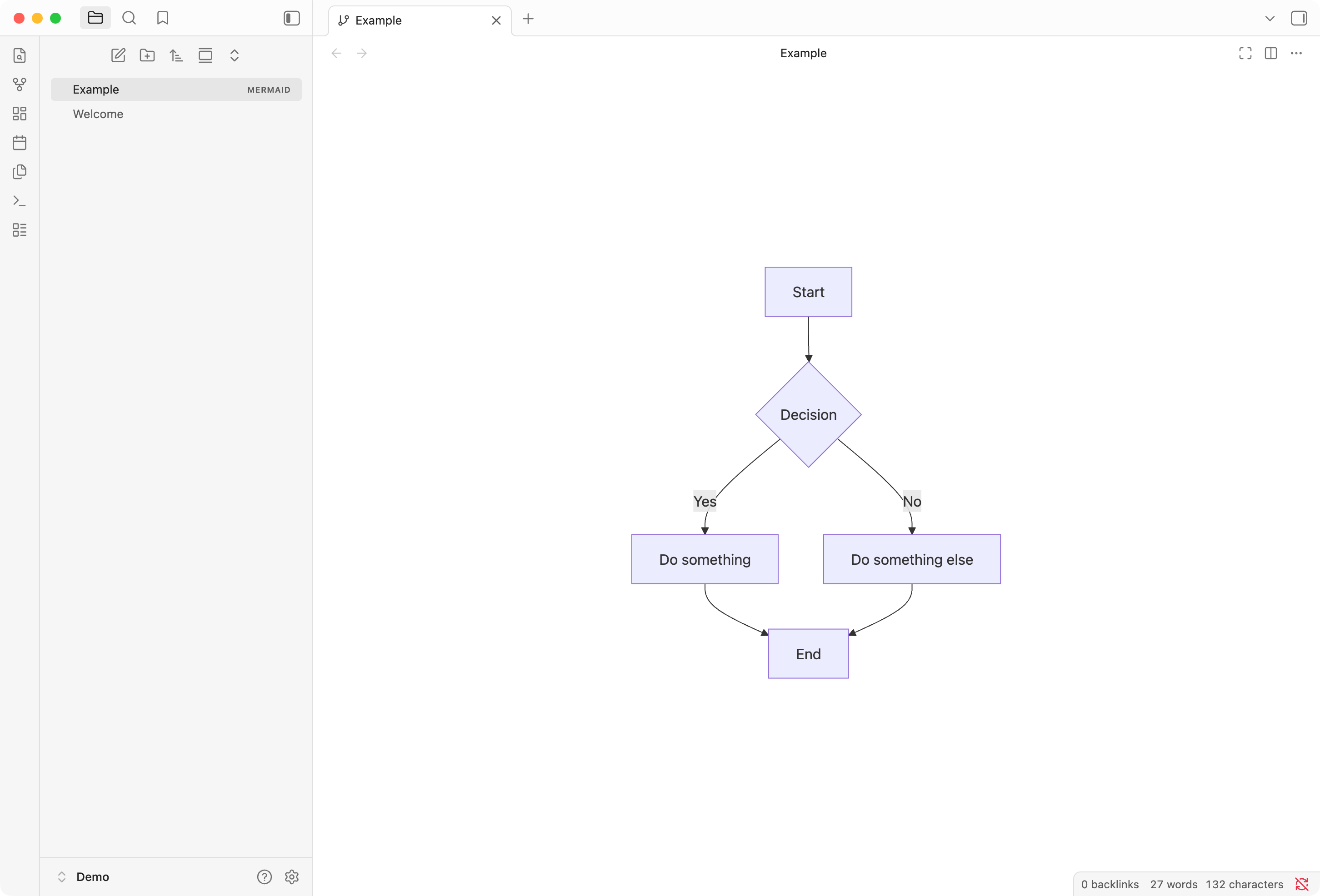
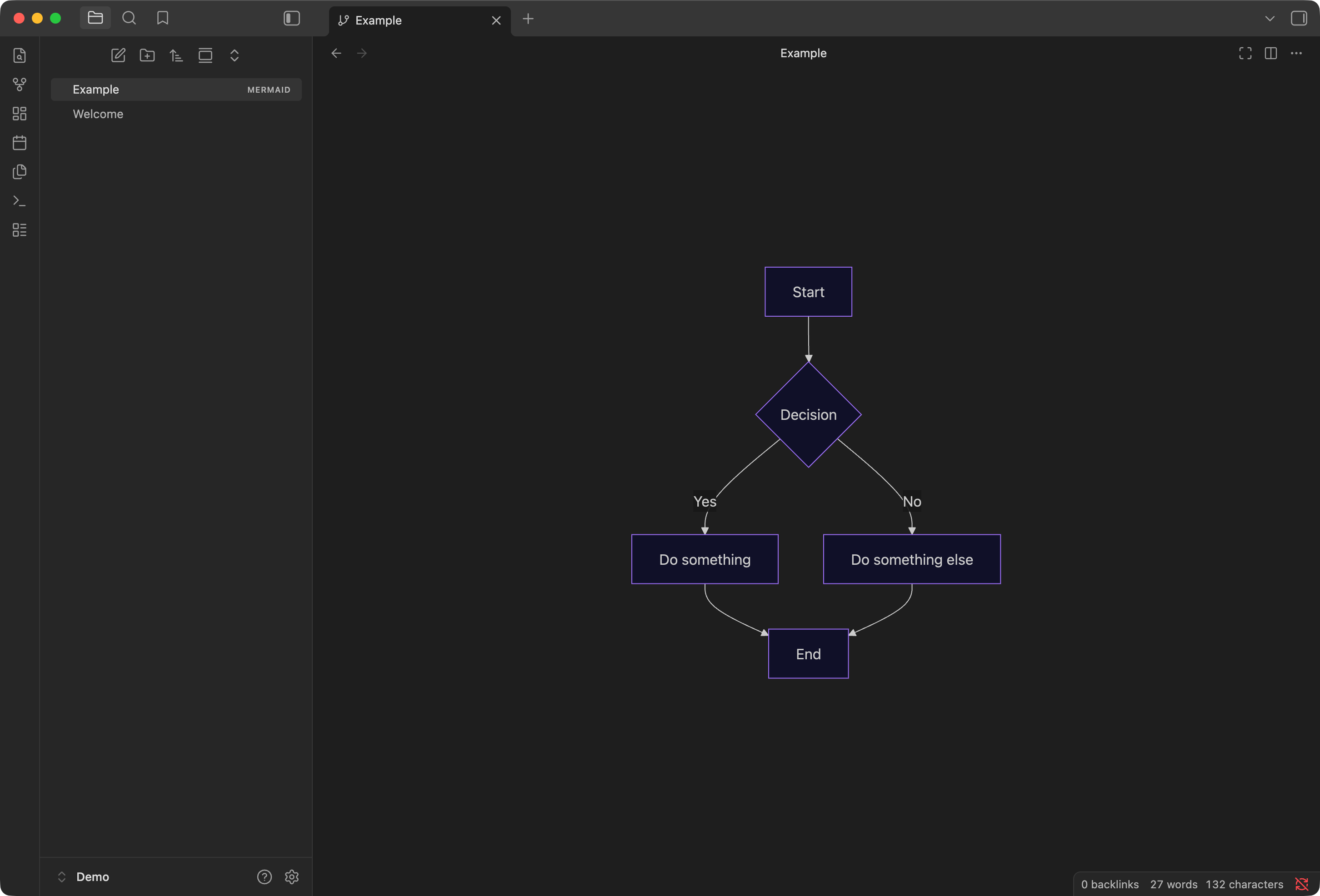
The result is Mermaid View, an Obsidian plugin that treats Mermaid files as first-class citizens. You can create dedicated .mermaid or .mmd files and work with them just like any other Obsidian document.
Key features
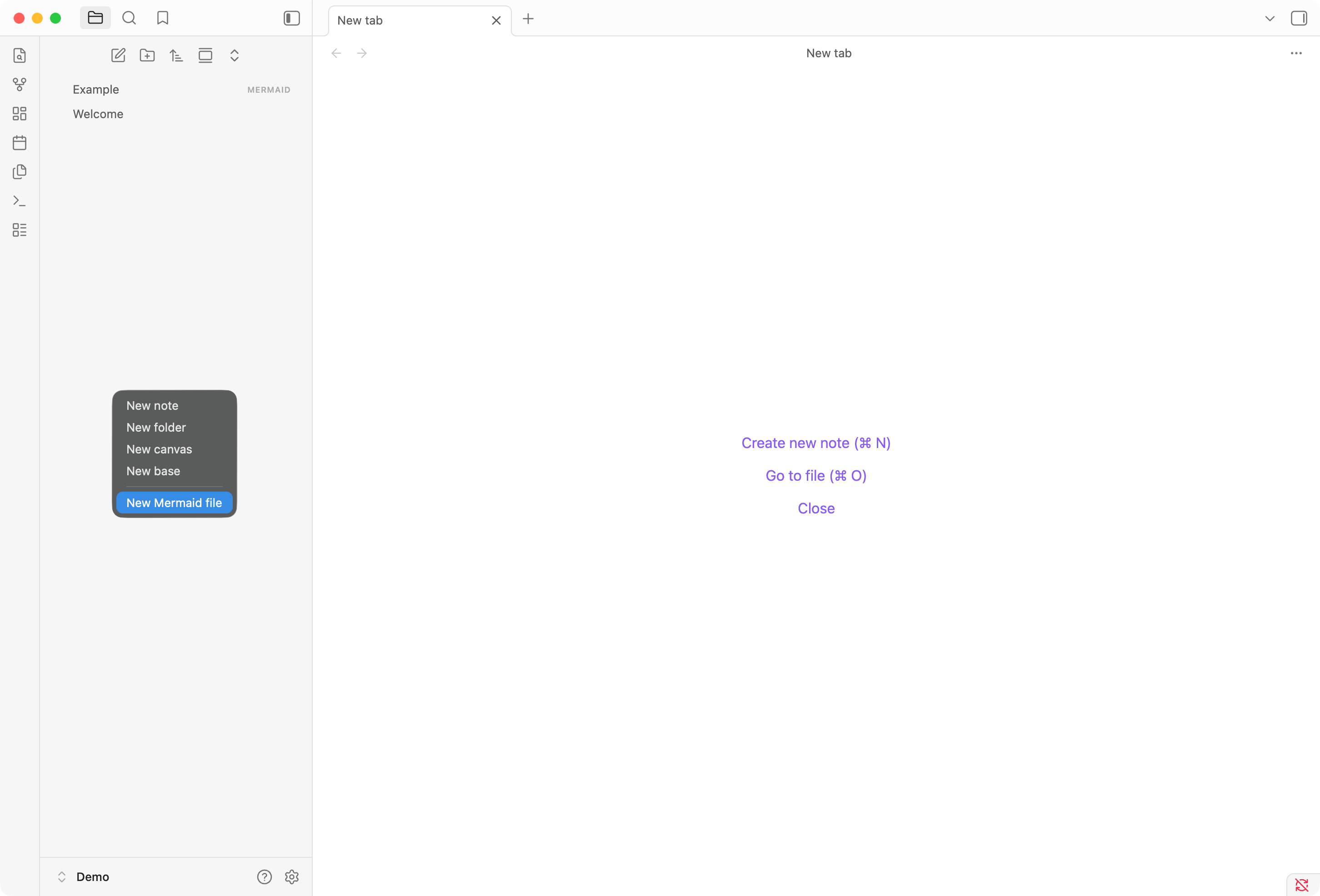
Native file support. Mermaid files appear in the file explorer with their own type badge. You can create new ones from the right-click context menu, just like Markdown or Canvas files.
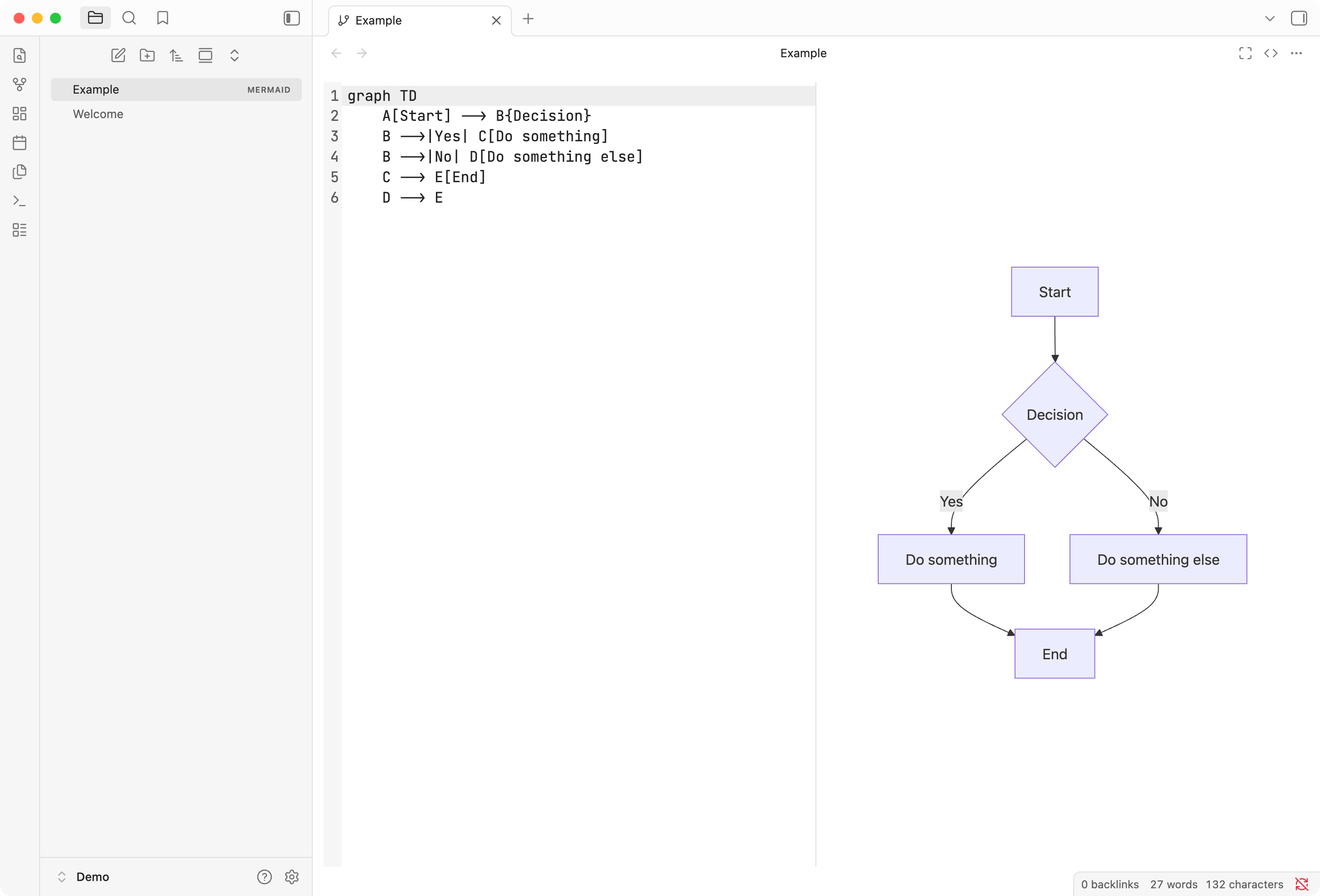
Three view modes. Toggle between Preview, Split, and Source modes depending on your workflow. Preview renders the diagram full-screen. Split shows the editor and a live preview side by side. Source gives you a full-screen code editor with syntax highlighting and line numbers.
Pan and zoom. Large diagrams are easy to navigate with mouse wheel zoom and click-drag panning. Double-click to reset the view.
Export. Save your diagrams as SVG or PNG files for use in other applications. PNG export supports configurable background color and scale factor for high-resolution output.
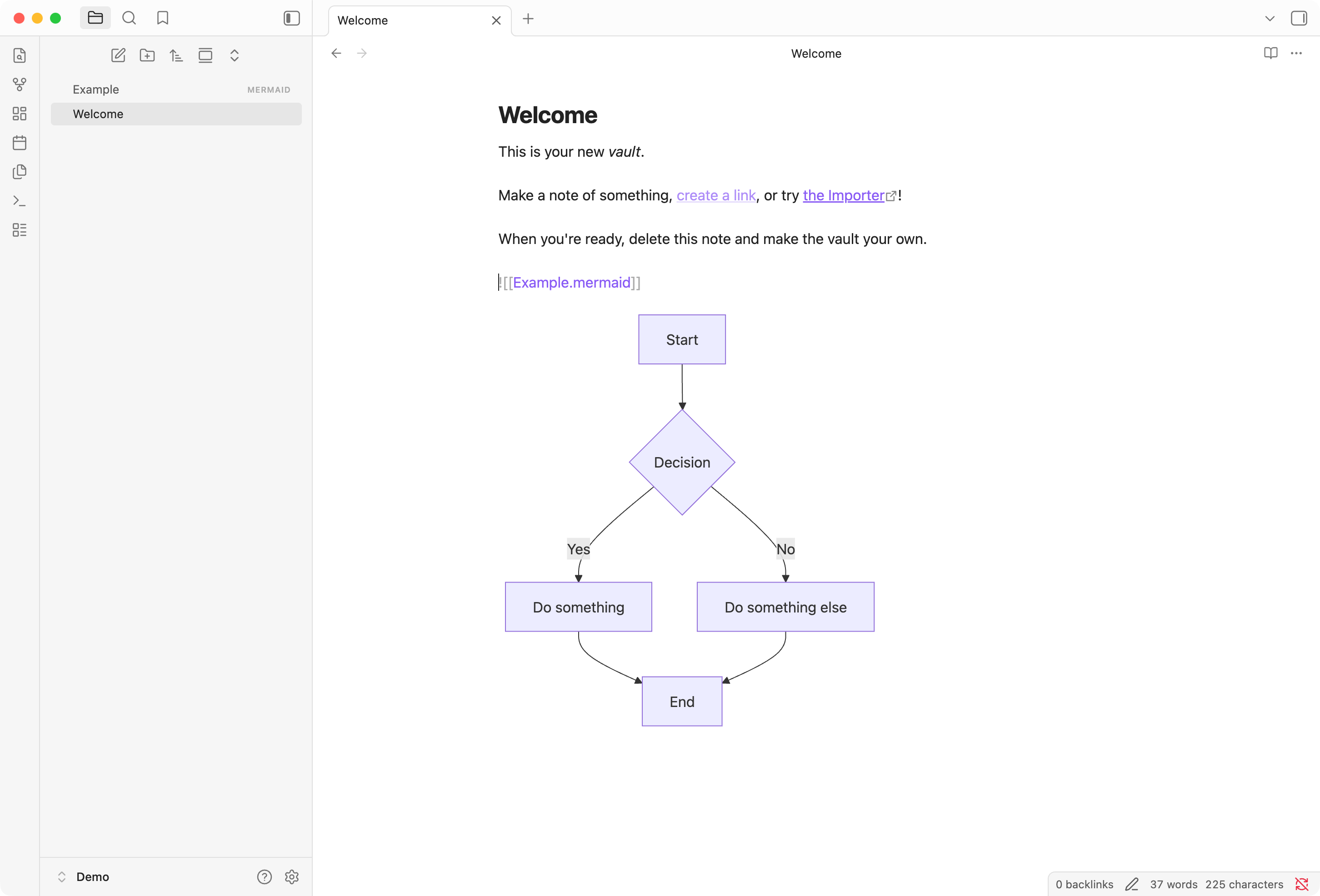
Embed in notes. Include diagrams in your notes using standard Obsidian embed syntax: ![[diagram.mermaid]]. The autocomplete suggests Mermaid files just like any other note, and the diagram renders inline.
Theme support. The plugin respects your Obsidian theme, rendering diagrams appropriately in both light and dark modes.
Get it
If you use Obsidian and work with Mermaid diagrams, give Mermaid View a try. The plugin is open source, available under the MIT license on GitHub. Installation instructions are on the project page.